First-session goal
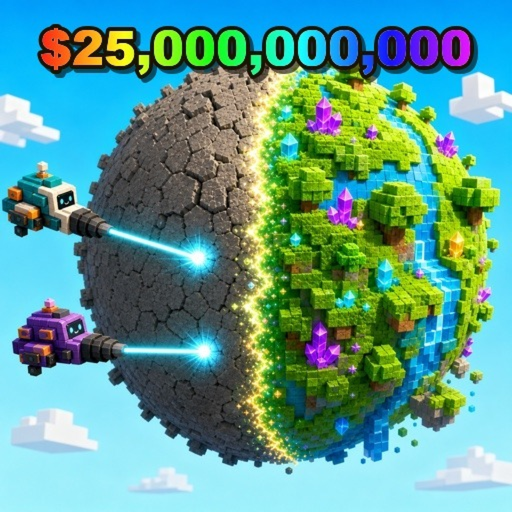
Mine a Planet Roblox is an idle mining simulator: drones mine a planet, return cargo, and let you compare mining speed, travel speed, and cargo. Watch one complete cycle before changing anything.
Mine a Planet beginner guide: launch the Roblox experience, observe one drone-fleet cycle, redeem reported codes through Settings, and change one visible bottleneck at a time.
Start with the player task, then use the steps and stuck-state checks below when the route is not working.
Mine a Planet Roblox is an idle mining simulator: drones mine a planet, return cargo, and let you compare mining speed, travel speed, and cargo. Watch one complete cycle before changing anything.
Open the in-game Settings panel before a long session. This site lists EARTH, BETA9BETA, UPDATE8, DISCORD, UPDATE7, BETABETA, and DRONES; only BETABETA is creator-listed, while EARTH and BETA9BETA remain cross-checked public reports that still lack creator confirmation as checked on 2026-08-15.
The official description mentions unlimited rolls, Luck, and planet evolution but does not publish a full stat table. Keep a simple before-and-after note and alter only mining power, travel speed, or cargo per test.
For Mine a Planet, watch one full drone cycle, try reported codes in Settings, then test the single bottleneck you can see: mining power, travel time, or a full cargo hold.
Use the checklist in order when you want a direct path instead of general tips.
Let the drone fleet complete a mining-and-return cycle. Note cash per load, cycle seconds, and whether the drones are mining, traveling, or hitting cargo capacity.
Open Settings and enter a reported code exactly once. If it fails, treat it as unavailable and do not claim an unverified reward.
Choose mining power for long drilling, travel speed for long returns, or cargo for repeated full holds. Re-observe the same planet after one change.
Once the first cycle is clear, use the progression guide for a safe observation routine around upgrades and planet evolution.
Use these checks when the guide route is not working in your current session.
Return to the observable loop: mine, return cargo, record the timer, then test one change.
Check spelling and the in-game Settings panel; reported codes may expire or be limited. Try a fresh server once, then continue without the reward.
Use the fleet calculator with your own observed values before changing another variable.
Most wasted progress comes from rushing codes, upgrades, or match decisions before checking the immediate payoff.
Public trackers can be stale. Confirm each code in Settings and keep the result separate from official facts.
If mining power, travel speed, and cargo all change at once, you cannot see what improved your fleet cycle.
Mine a Planet has no public complete drone table. Do not import drone names, values, or tier rankings from another Roblox experience.
Watch one mining-and-return cycle, check reported codes in Settings, and test the bottleneck visible in that cycle.
Try reported codes first, but label them as reported rather than official and continue if one does not redeem.
Choose the visible bottleneck: mining power for long drilling, travel speed for long returns, or cargo for repeated full holds.
Use progression for an observation routine, farming for cash-per-cycle checks, and fleet roles for a bottleneck test.
Open the next page that matches what you are trying to do in-game.